
 Kordra Studio for Mac
The words and the chords. Together.
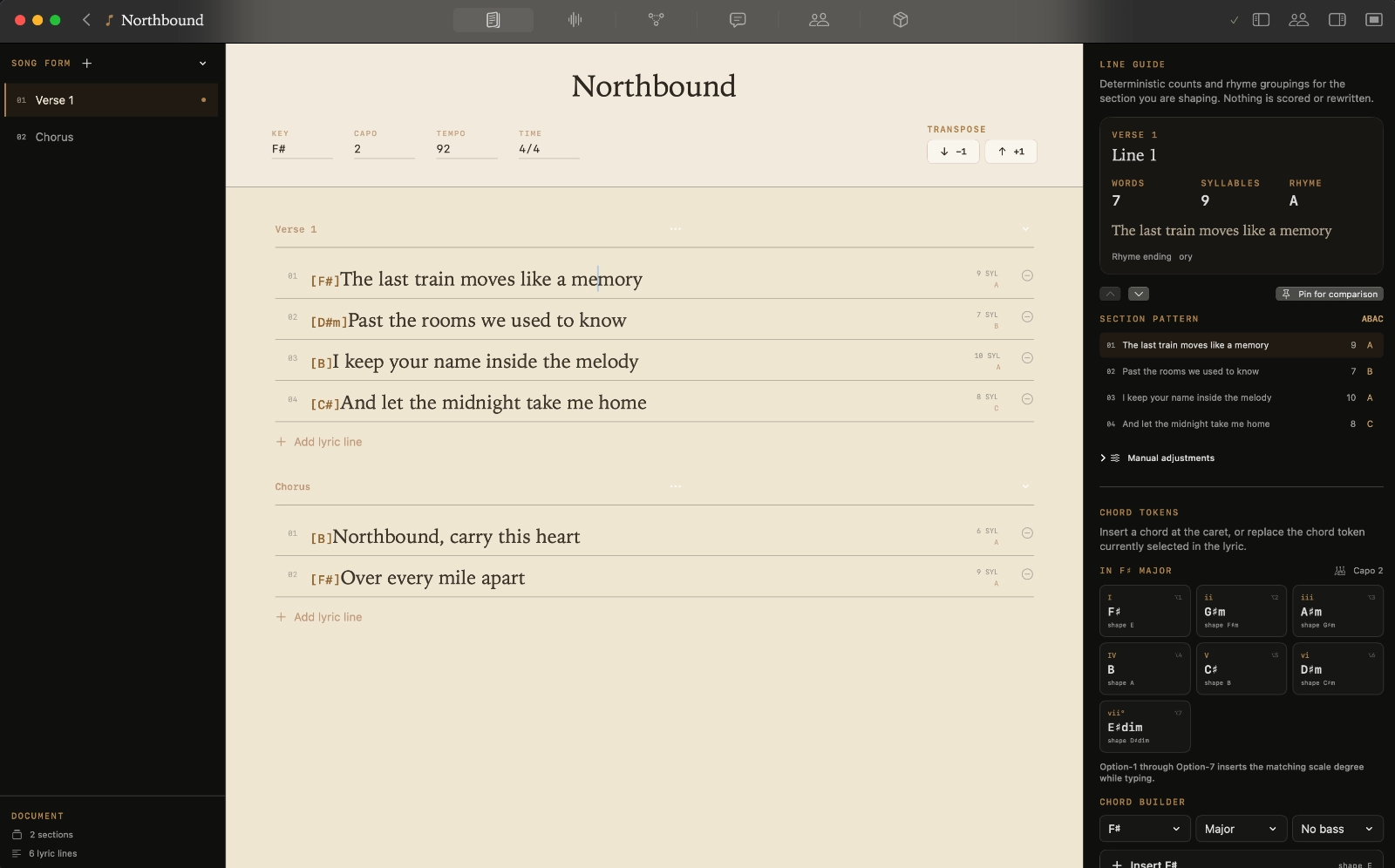
Work on a verse, move a chorus or try a different chord. Keep the shape of the song in view while you find the next line.
Kordra Studio for Mac
Write lyrics, work out chords and keep your recordings and earlier drafts together. Kordra Studio gives each song a place on your Mac.
£14.99 UK · $14.99 US · one-time Mac App Store purchase
Works offline · No account required · macOS 15 or later; Apple M1 or later
Work on a verse, move a chorus or try a different chord. Keep the shape of the song in view while you find the next line.
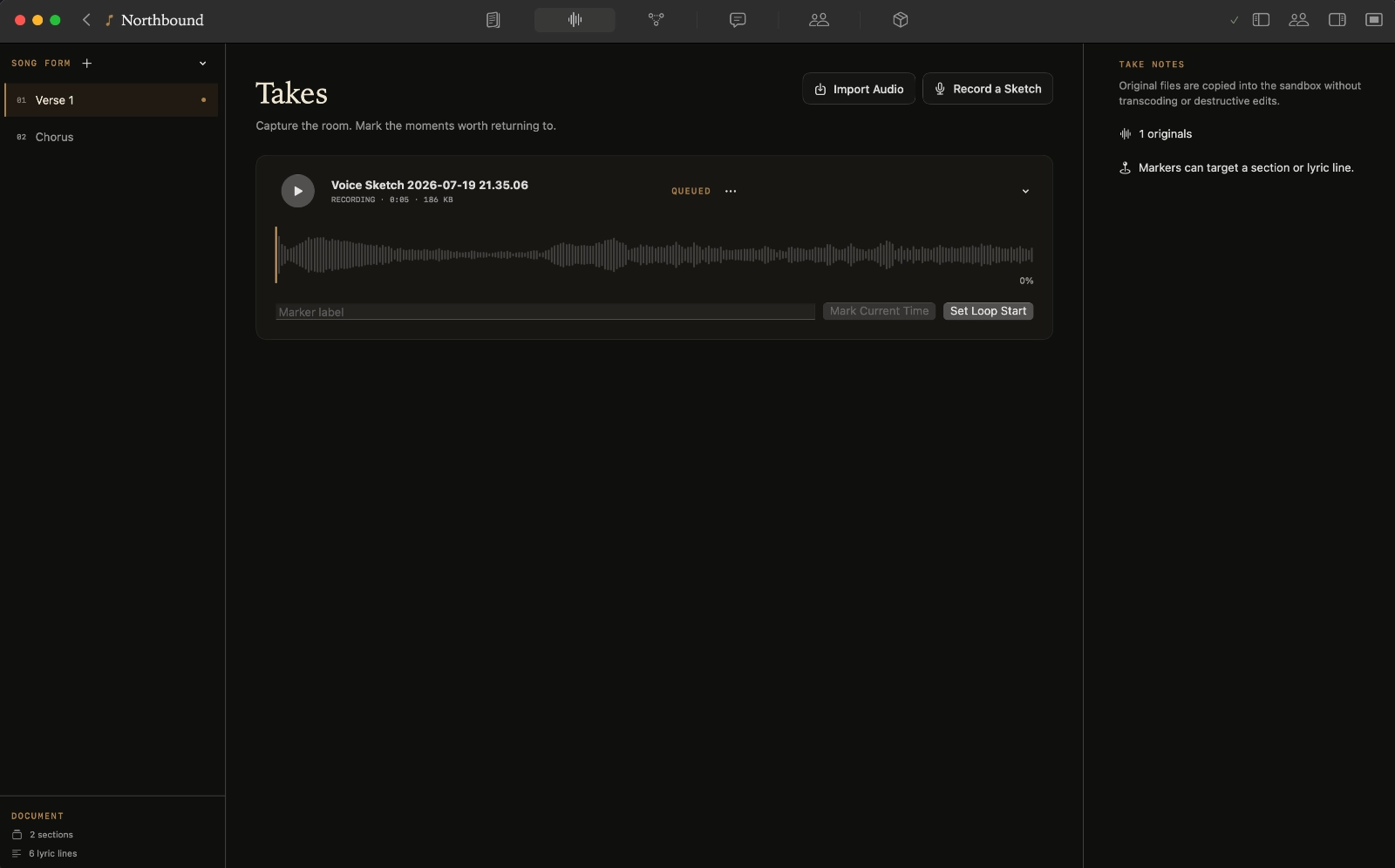
Record a rough idea or bring in a voice memo. Mark the phrase worth returning to and hear it alongside the words it belongs to.
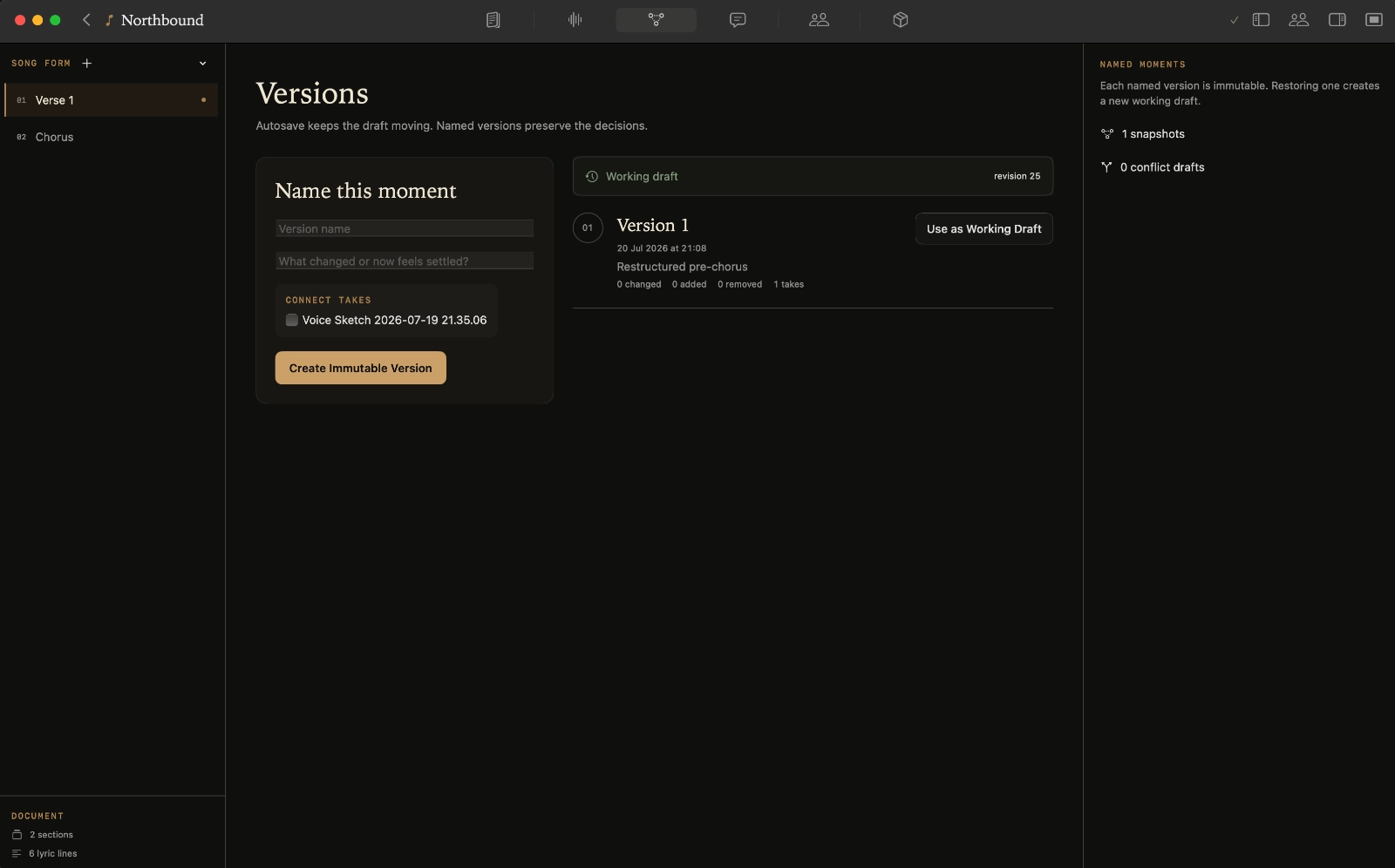
Save the drafts that matter, compare what changed and return to an earlier idea. There is room to experiment without losing the work you liked.
Keep contributors, roles and proposed splits with the song while the details are still fresh.
Export a lyric sheet, chord chart or producer pack. Keep the original project and recordings on your Mac.
“With Studio I can see the value of documenting the song, the takes, versions and handoff very clearly. The Producer Pack itself was also well organised.”
Kordra Capture · Free on iPhone
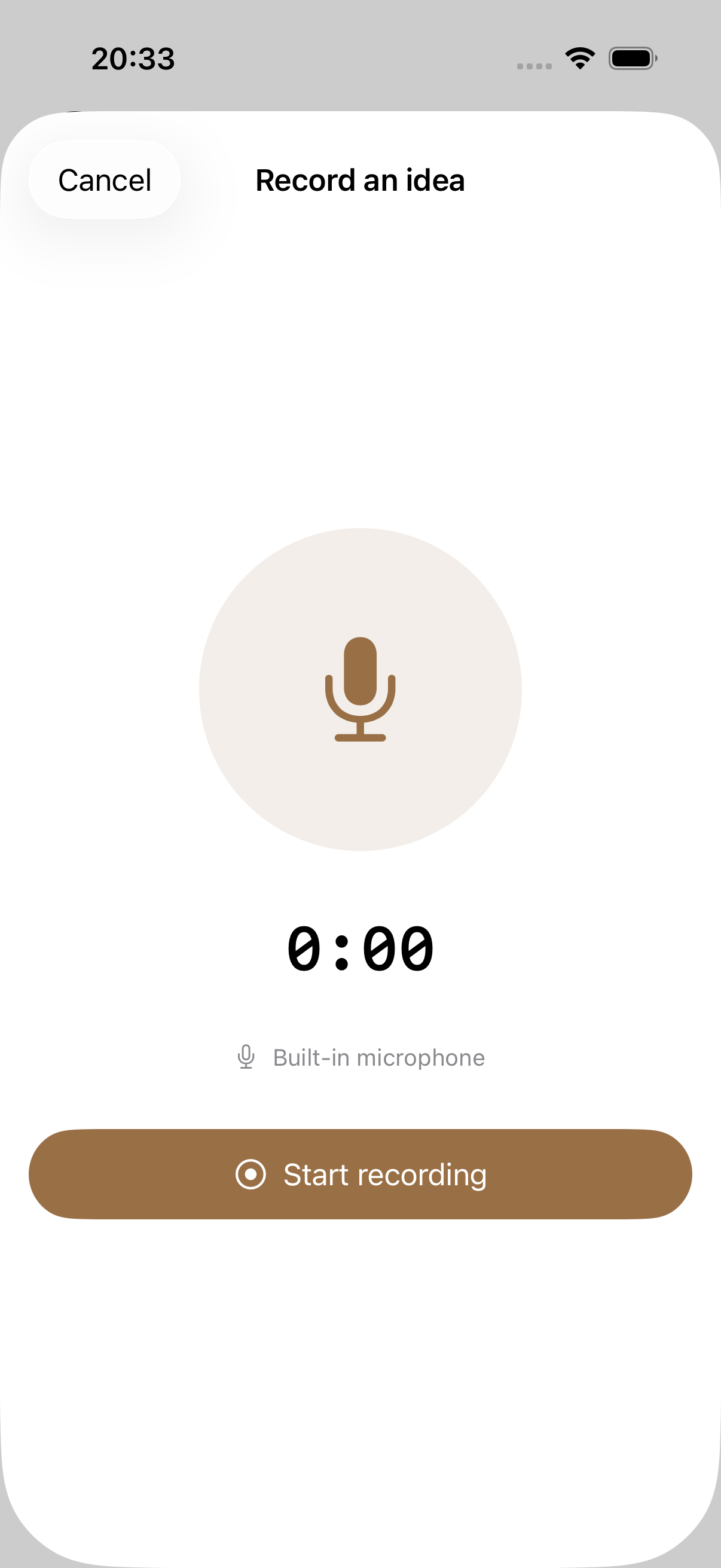
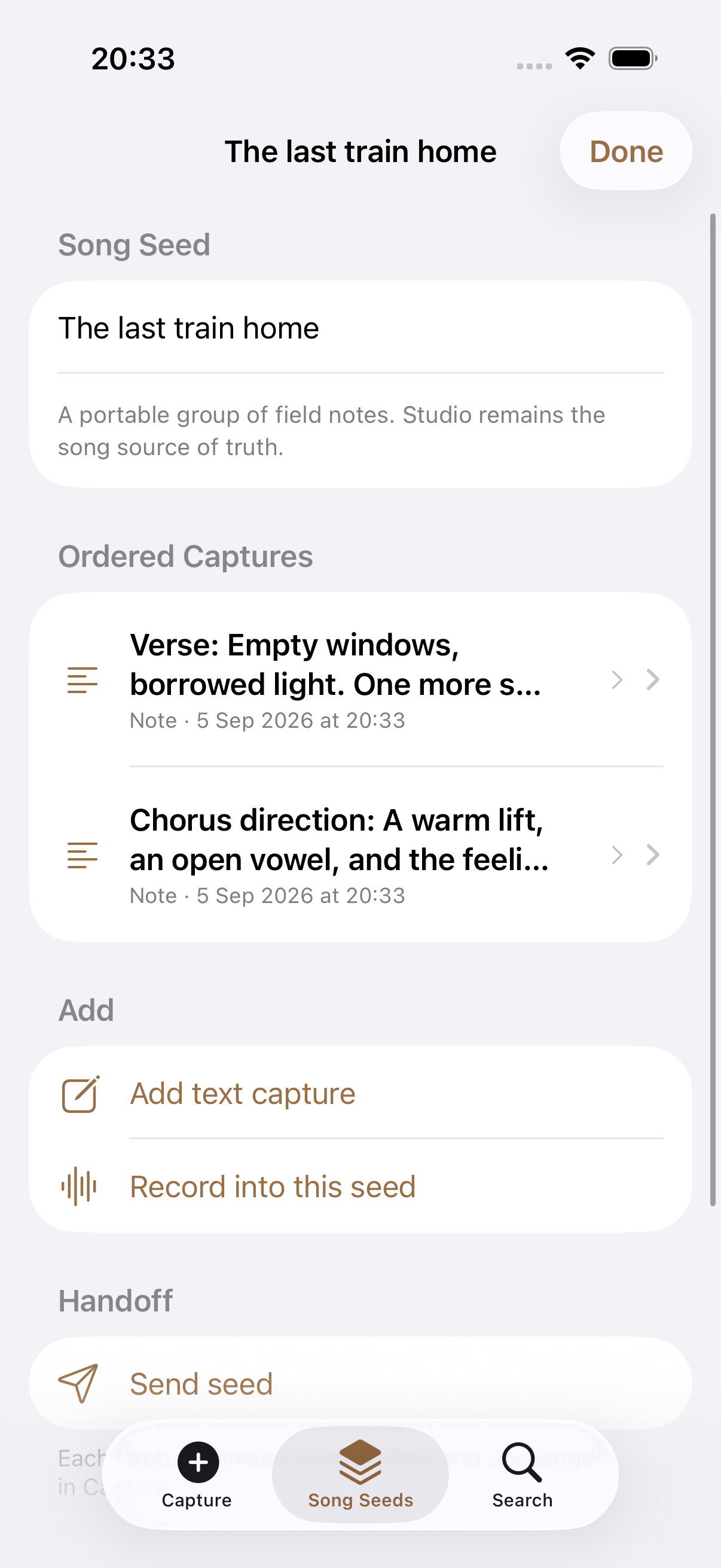
Save a line or record a melody on your iPhone. When you are ready to write, share the files through Files or AirDrop and bring them into Studio.
Free · iOS 18+ · Works on its own too
Kordra Music · Online workspace
Develop your lyrics, shape a prompt and review the song before you generate it. Keep your projects in your Music account, ready for the next idea or revision.
Made with Kordra Music
Four songs with lyrics developed in Kordra Music and audio generated in Suno. Choose a track and listen in full.
The listening room 01–04From a lyric on the page to a song you can hear.
Ready to play: Sunrise Serenade on the Lazy J
These are finished examples. Kordra Music helps develop the lyrics and direction; Suno generated the recordings you hear here.
Kordra Products listed and reviewed around the web







Start a song in Kordra Studio for Mac: bring in a lyric or recording, develop a section, record a rough take and save a version you can return to.
Read the article
A practical way to compare songwriting takes: choose one question, listen for phrasing, lyric clarity or energy, and decide what to try next.
Read the article
Keep lyrics, chords and a reference take together on Mac. Use a focused Kordra Studio workflow to return to a song and choose one clear next step.
Read the articlemacOS 15 or later; Apple M1 or later. You can check the full requirements on the Mac App Store.
No. Studio is a one-time purchase from the Mac App Store. There is no Studio account or subscription to set up.
Yes. Your Studio projects live on your Mac. Write, record, save earlier drafts and export your work without an internet connection.
Capture is an optional, free iPhone companion. Use it to save a line or voice idea away from your Mac, then share the files when you are ready. Both apps also work on their own.
Kordra Studio for Mac. Your lyrics, chords, recordings and drafts, together.
Get Studio for Mac£14.99 UK · $14.99 US · one-time Mac App Store purchase